Advanced Usage
Siren can be loaded directly into jupyter notebook
Run using Jupyter Notebook
from siren.modules.bulkvis import Bulkvis

fast5_fn = "data/sample.bulk.fast5"

bulkvis = Bulkvis()
bulkvis.input_fast5.value = fast5_fn
bulkvis.input_channel.value = 'Channel_50'
bulkvis.input_time_start.value = 75
bulkvis.input_time_end.value = 85
bulkvis.input_annotate.value = ['strand', 'pore']
bulkvis.plot_figure('event')
bulkvis.layout
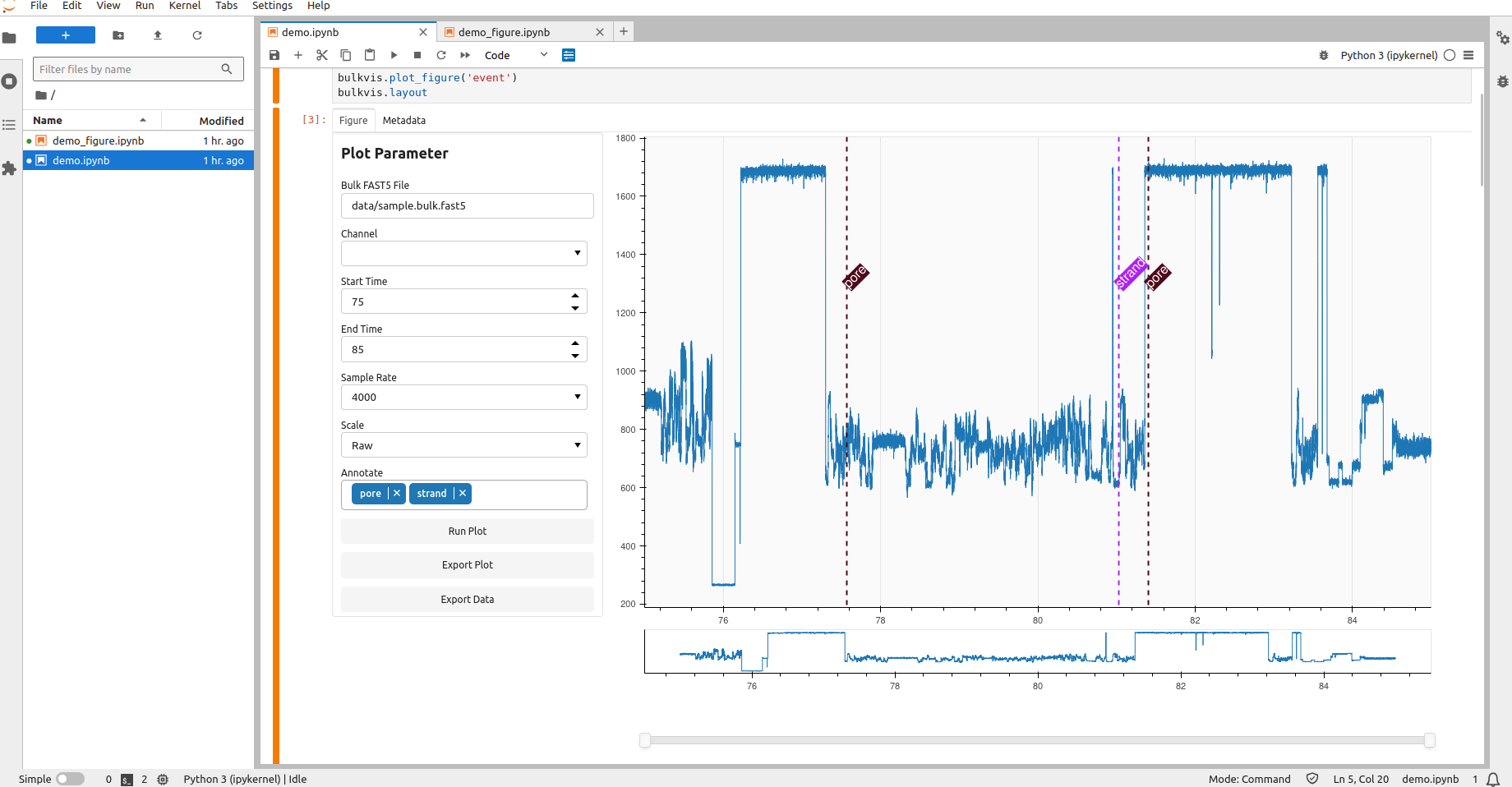
For more complete example please checkout our demo notebooks
Remote Access (HPC or Cloud)
Siren can be run in remote server for example HPC or Cloud instance as long we can reach the port. We can use SSH port forwarding following scheme below.
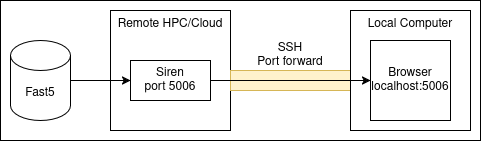
ssh -L LOCAL:LOCAL_PORT:DESTINATION:DESTINATION_PORT user@server
# example ssh -L localhost:5006:localhost:5006 satrio@hpc
siren
Now siren should accesible from localhost:5006